Why Clocktower
Log in a swipe
Swipe up to drop a time block, then tap a project to assign it. No forms, no typing.
Reminders so nothing slips
Turn on daily reminders to log your hours. Your timesheet stops being a guess at the end of the week.
Made to invoice
Set an hourly rate per project, watch billable totals add up, export a timesheet, and search by project and period.
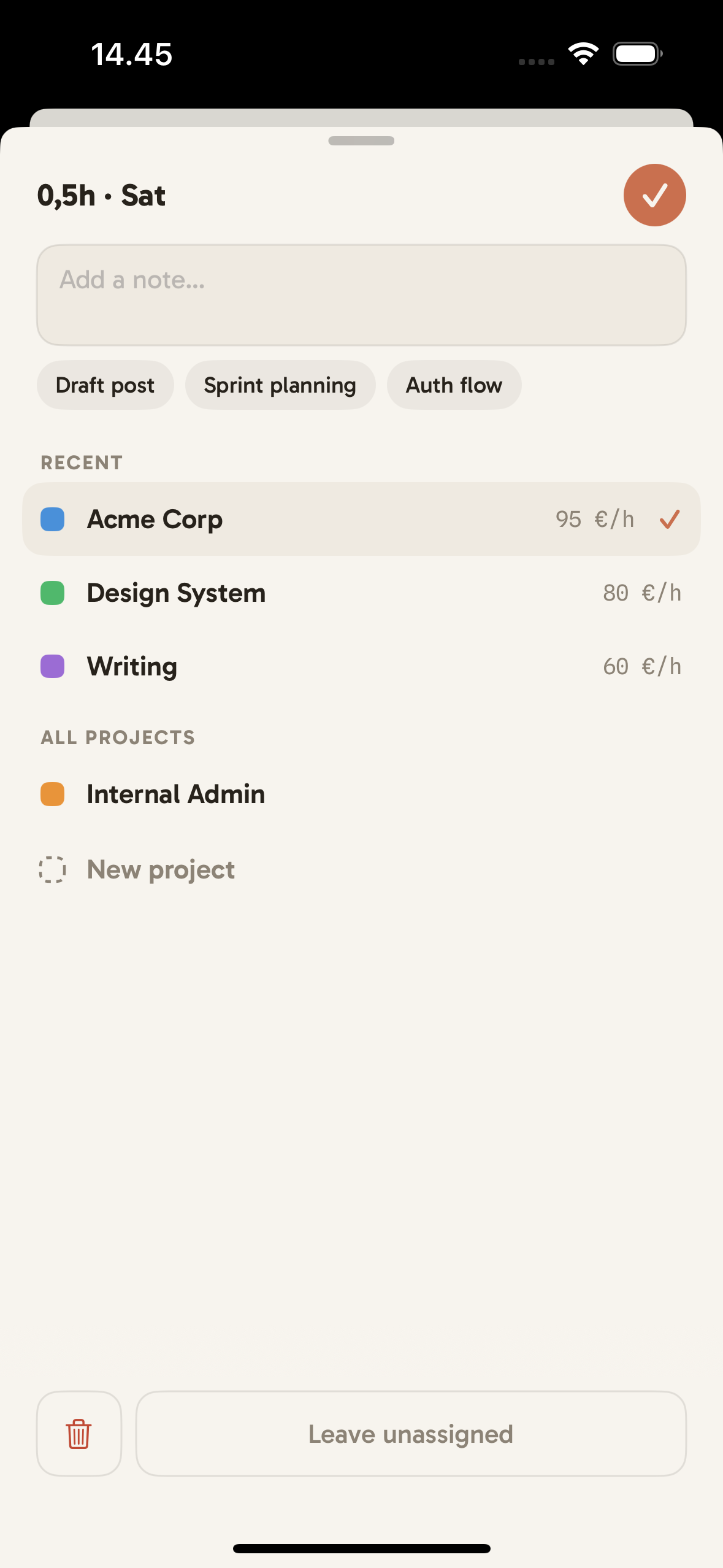
Logging is a swipe and a tap
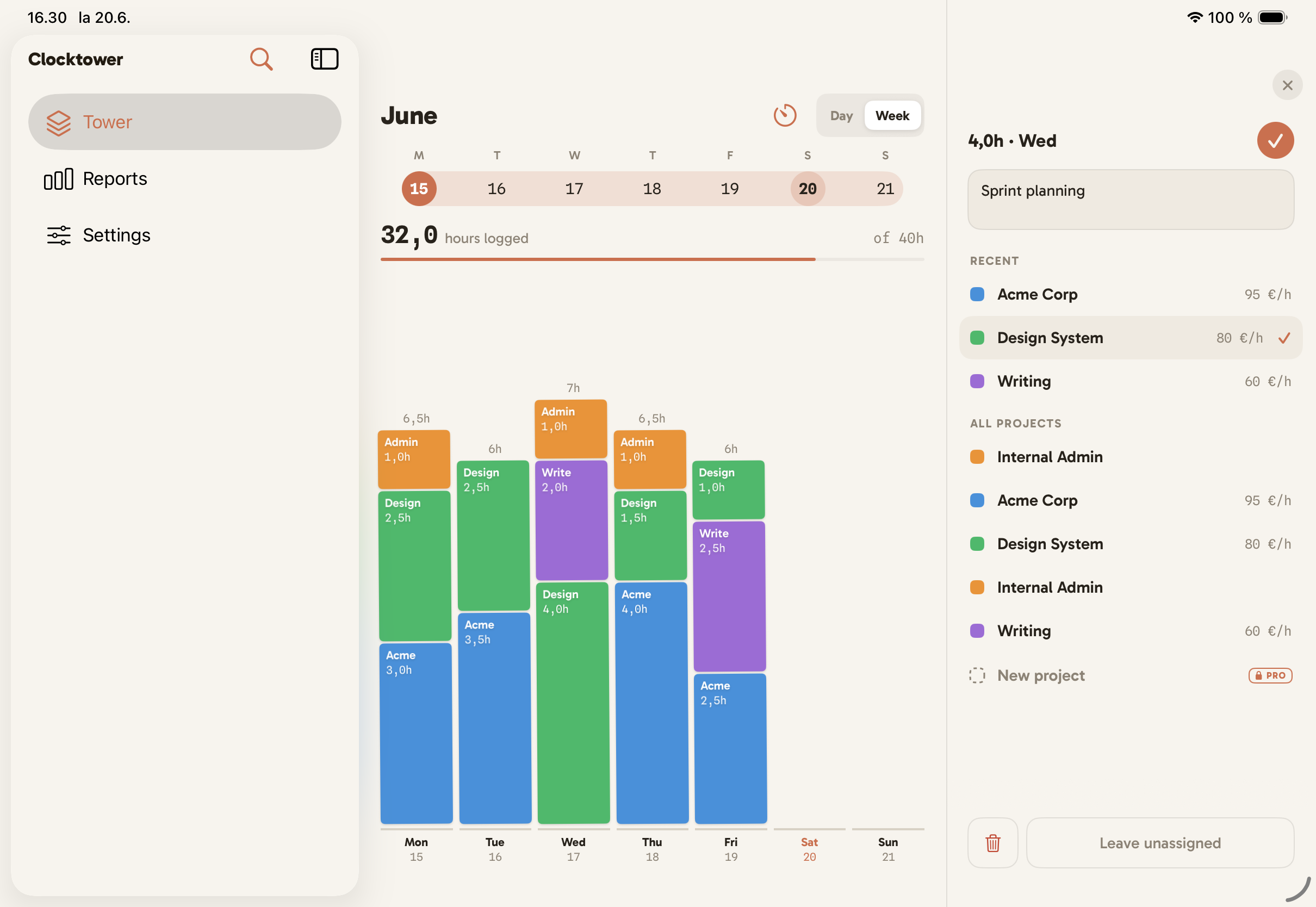
Swipe up to add a block, then tap a project to assign it. Add a note if you like. Each project carries its own hourly rate, so billable hours add up as you go.
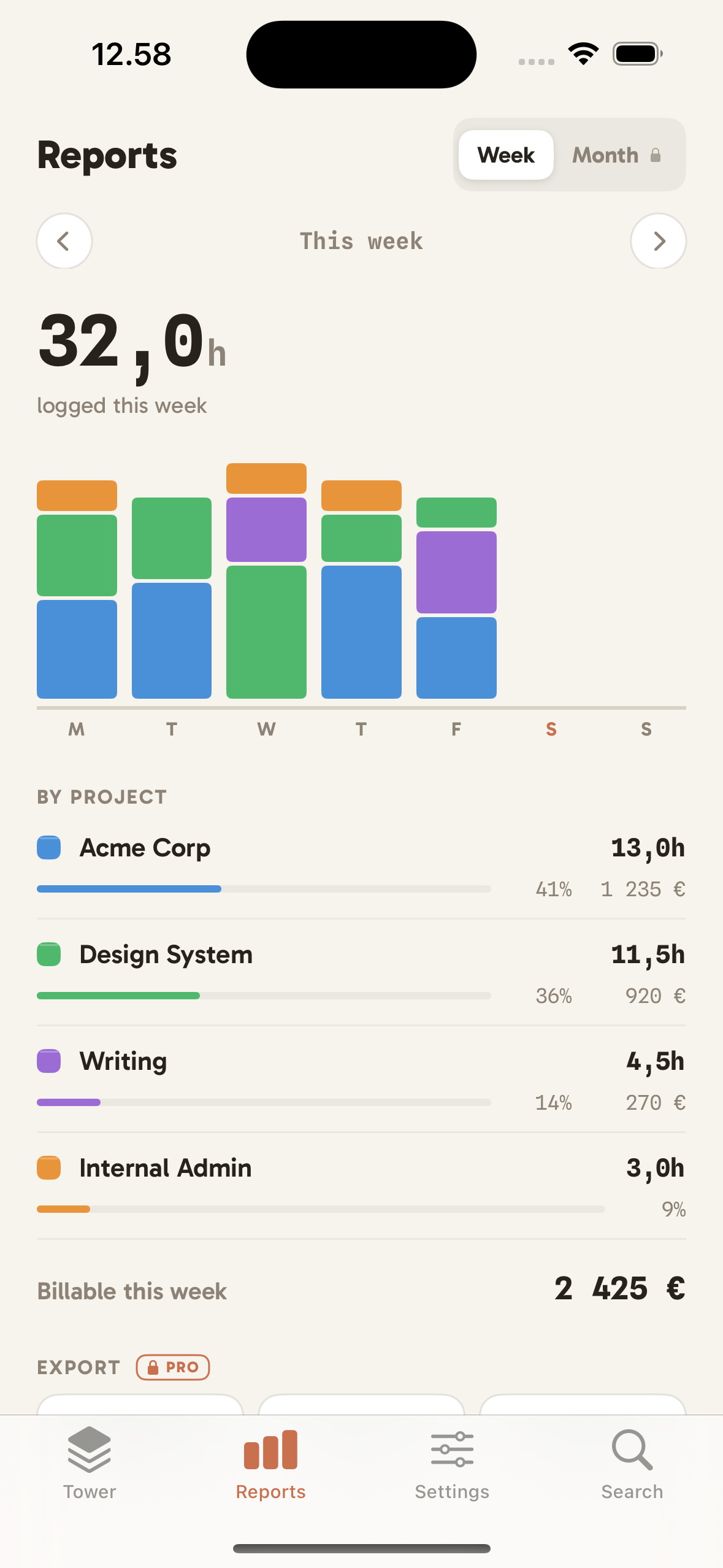
Know where the hours went
Reports break your time down by project and by week. Per-project rates turn hours into billable totals, and you can export when you need to.
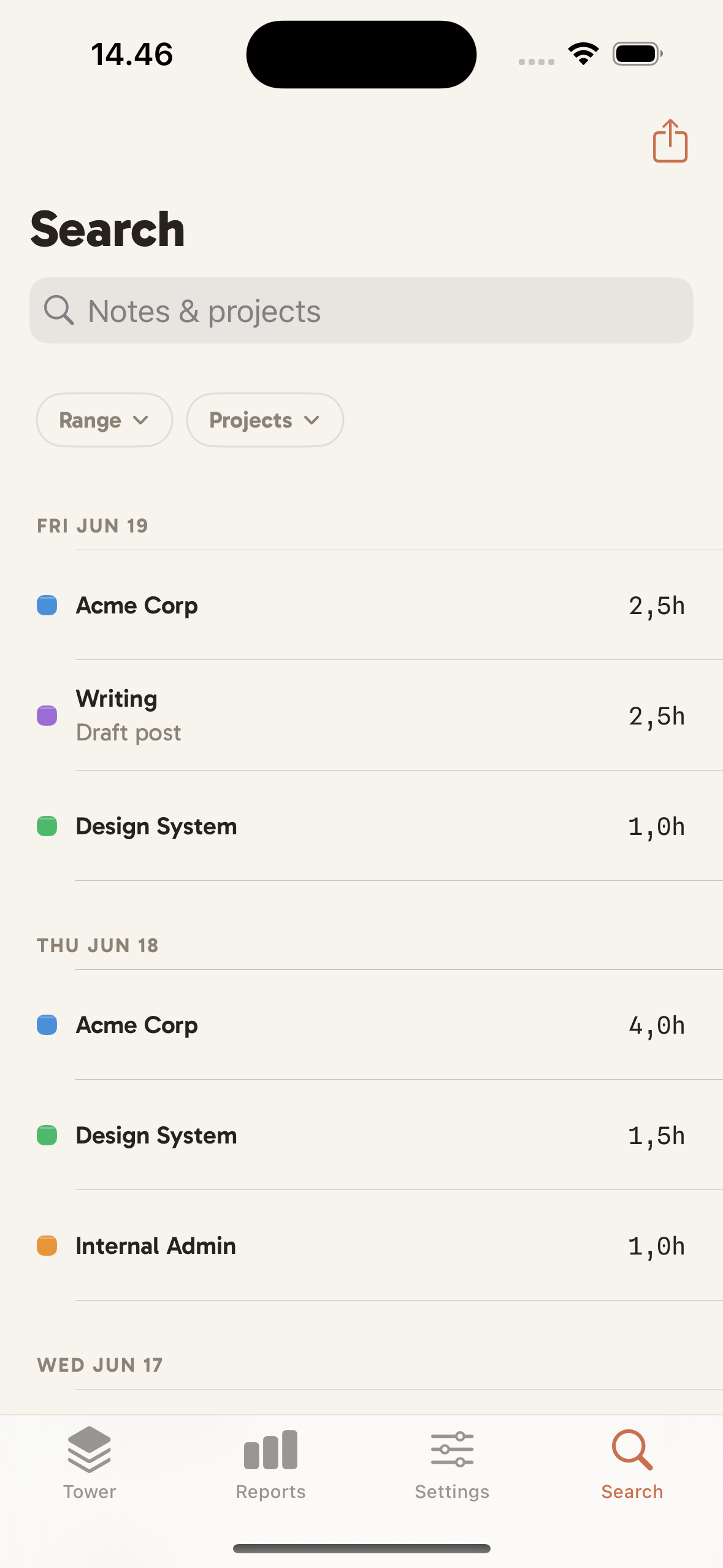
Search by project and period
Filter your hours by project and by date range, then export a timesheet. Pulling the numbers for an invoice takes seconds.
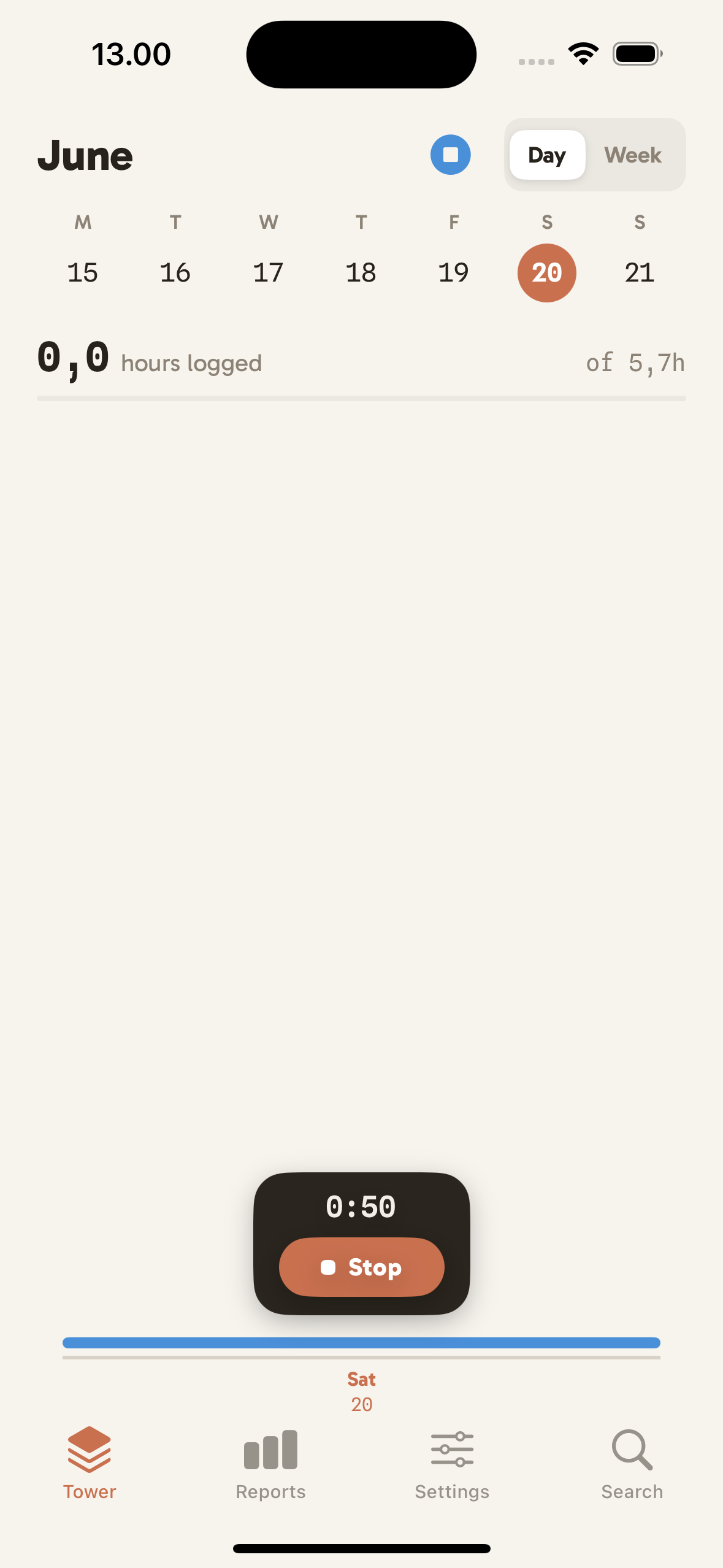
Start a timer in a tap
Running late on logging? Start a live timer from the app, the widget, or the Lock Screen. It lands in the right block.
iPhone, iPad, Mac, and Apple Watch
Built for every screen you work on
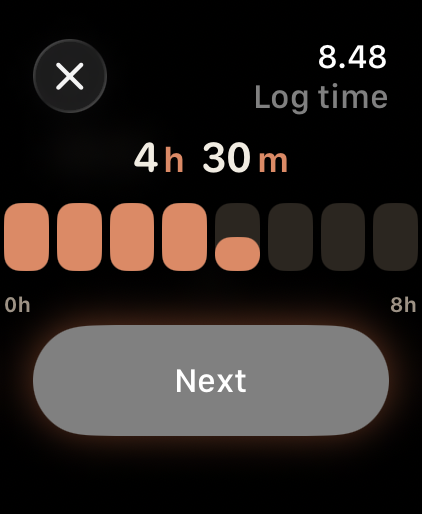
Clocktower runs on iPhone, iPad, and Mac, and your hours sync privately through iCloud across all of them. iPad opens up a sidebar and a side-by-side editor, there is a home screen widget and a Live Activity timer, and on Mac you can right-click a block to edit or delete it. On Apple Watch you can glance at your day's blocks and log hours from your wrist.
Questions
Frequently asked
Is Clocktower free?
Yes. Clocktower is free to use for up to five projects, with no ads. Clocktower Pro unlocks unlimited projects and is available as either a subscription or a one-time lifetime purchase.
Where is my data stored, and is it private?
Your hours stay on your device and sync through your own private iCloud account. There is no Clocktower account to create, no cross-app tracking, and what you log is never tied to your identity or sold. We do receive anonymous, aggregate usage and crash measurements that cannot identify you and never include what you log. The full detail is in our privacy policy.
Does it sync across iPhone, iPad, Mac, and Apple Watch?
Yes. Clocktower is native on every device, and your projects and hours stay in step automatically over iCloud. The day you start on your iPhone is current on your iPad, Mac, and Apple Watch.
Can I track time on my Apple Watch?
Yes. Clocktower has a native Apple Watch app, so you can glance at your day and log hours right from your wrist. What you log syncs to iPhone, iPad, and Mac over iCloud. More on time tracking on Apple Watch.
Can I use Clocktower to invoice clients?
That is what it is built for. Set an hourly rate per project, watch billable totals add up as you log, then filter by project and date range and export a timesheet ready to invoice.
Is Clocktower a good Toggl or Harvest alternative?
If you bill by the hour and want something native, private, and fast, yes. Clocktower has no account and no required subscription. You can unlock Pro once and own it, instead of paying every month.
Does it work offline?
Fully. Logging is entirely local, so Clocktower works with no connection. iCloud sync simply catches up the next time you are online.
Time tracking that stacks up
Visual logging, real reminders, and invoice-ready hours, on iPhone, iPad, and Mac.

Guides
Track time, bill better
Need help?
Questions or feedback?
We'd love to hear from you. Reach us any time and we'll get back to you.
Email support